How to Set Up an MCP Server for an Existing Nuxt App
A beginner-friendly, practical guide to adding an MCP server to an existing Nuxt app using the Nuxt MCP Toolkit and a mocked weather tool.
Artikel3 Min.Vue.jsNuxt.js

Kategorie · 14 Artikel
Artikel in der Kategorie Tools.
A beginner-friendly, practical guide to adding an MCP server to an existing Nuxt app using the Nuxt MCP Toolkit and a mocked weather tool.
In this blog post, I'll share the reasons why I transitioned back to using IntelliJ as my primary integrated development environment (IDE) after a period with Visual Studio Code. Despite VS Code's early advantages for developing with Nuxt 3, recent developments have led me back to IntelliJ due to its superior Git integration, efficient project indexing, minimalist plugin needs, and robust debugging and database tools.

I share my experiences of how I self-hosted my Nuxt apps with Coolify on Hetzner servers.

Nitro is a sever toolkit that allows you to create web servers with everything you need and deploy them wherever you prefer. It is used in Nuxt 3 to power the server-side part of your Nuxt applications. In this article, I will show you can use Nitro as a mock server for your frontend development.

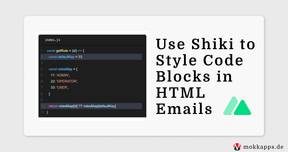
I recently developed a custom newsletter service using Nuxt 3. One of the main reasons why I developed it on my own was that I wanted to use good-looking code blocks in my emails.
Typically, a user needs to process multiple pages or steps to finish his journey, such as submitting an order or completing a registration. If we as developers need to develop one of the last pages of this user flow, we need to manually process all the previous pages/steps every time we refresh the page or need to restart the flow.

Recently, I planned to rewrite my "Scrum Daily Standup Picker" Electron application in Vue 3. I wrote the initial release in Angular, but I wanted to refactor the code base and rewrite it in Vue 3.

Storybook is my tool of choice for UI component documentation. Vue.js is very well supported in the Storybook ecosystem and has first-class integrations with Vuetify and NuxtJS. It also has official support for Vue 3, the latest major installment of Vue.js.

I recently joined a project where the team used two separate Git repositories for their web components based on Stencil and Storybook. But the idea of Storybook is that the so-called "stories" live next to the components source code. Therefore, it made no sense to me to have those two tools in different repositories, and I combined them both in one repository.

For me, it is important to see analytics about my portfolio website. This way, I can see which posts got the most views, which country my users are from, and which browser & operating system they are using. The simplest solution to add analytics to your site is Google Analytics as it is free and easy to set up. But as we all know, this service is only free as we pay it indirectly by providing data to it. What you need to know about Google Analytics and privacy.

Creating a changelog is a usual task if a new software version is going to be released. It contains all the changes which were made since the last release and is helpful to remember what has changed in the code and to be able to inform the users of our code.

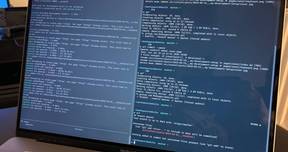
Using the terminal is one of the biggest productivity boosts you can gain in your daily work as a developer. If you know your shortcuts, you will be way faster than using the mouse. In this article, I want to show you my terminal setup and how I use it on a daily basis. The cover image shows my current setup in action.
As I started my first JavaScript project in 2015, I used JetBrains WebStorm, which is an IDE (integrated development environment) for JavaScript development. I was already used to JetBrains IDEs as I worked before with Android Studio, which is based on IntelliJ IDEA. Additionally, I got a WebStorm license from my company and could use it without any restrictions.

In this post, I will describe how I increased my productivity by learning to use Visual Studio Code more efficiently.