

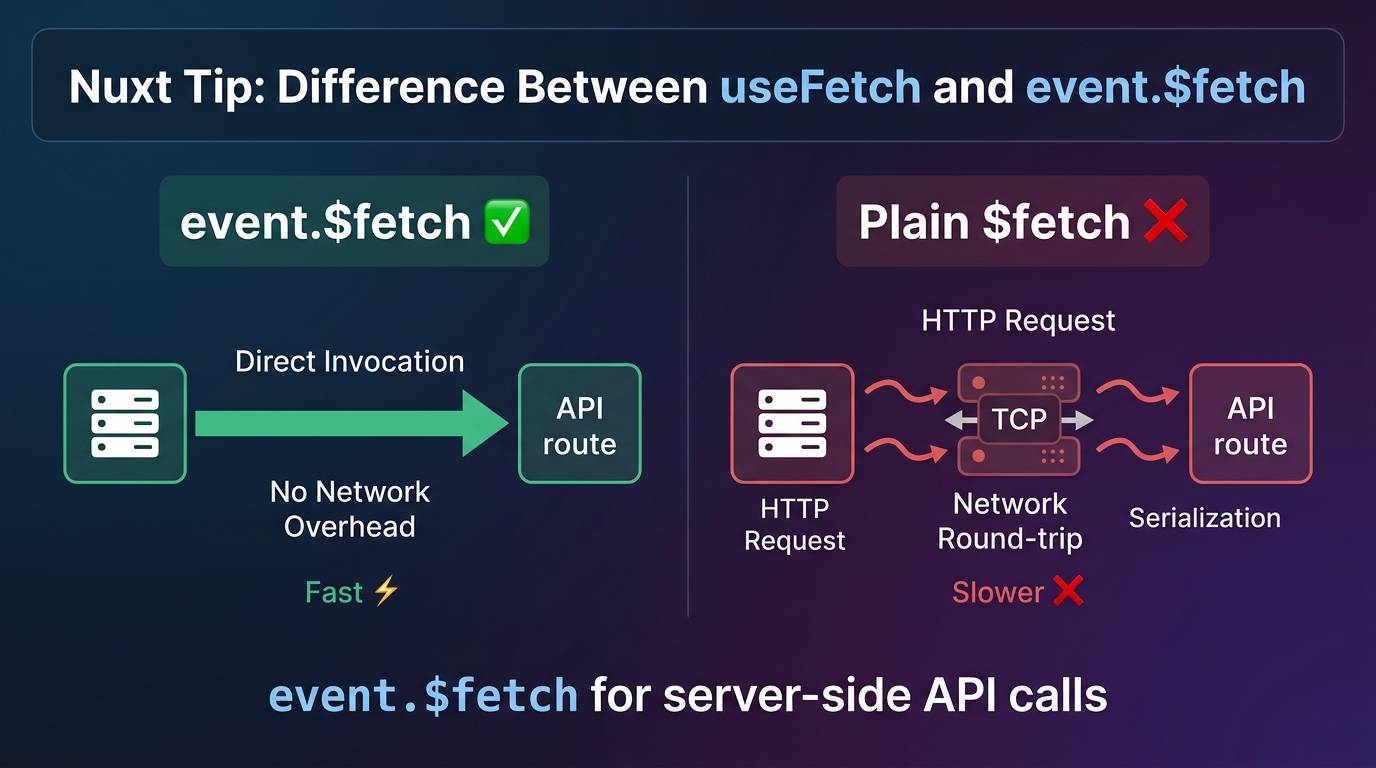
When working with Nuxt, you may encounter a situation where you need to fetch data from your own API routes on the server. In this context, you can use event.$fetch that can significantly improve performance and ensure SSR correctness compared to using useFetch or plain $fetch. Let's explore the key differences and best practices for using these tools effectively in your Nuxt applications.
The Key Difference: event.$fetch vs Plain $fetch
The crucial difference lies in what happens when you call these on the server targeting a local API route:
event.$fetch:
- Makes an internal fetch — directly invokes the matching server handler function
- Bypasses the network stack entirely
- No TCP connection, no serialization overhead
Plain $fetch:
- Makes a real outgoing HTTP request
- Requires a network round-trip to localhost
- Goes through the full HTTP serialization process
Example: Fetching Data in Nitro Server Routes
When composing multiple API routes or aggregating data from other internal API endpoints, always use event.$fetch():
export default defineEventHandler(async (event) => {
  // ✅ Recommended: Direct handler invocation
  const users = await event.$fetch('/api/users')
  const stats = await event.$fetch('/api/stats')

  return {
    users,
    stats,
    timestamp: new Date().toISOString()
  }
})
Antipattern: Using Plain $fetch in Server Routes
export default defineEventHandler(async (event) => {
  // ❌ Incorrect: Makes unnecessary HTTP requests
  const users = await $fetch('http://localhost:3000/api/users')
  const stats = await $fetch('http://localhost:3000/api/stats')

  return { users, stats }
})
In this antipattern, each call goes through the full HTTP stack, making the route slower and creating potential circular dependencies or network bottlenecks during server-side rendering.
Why It Matters
Performance
- Direct invocation eliminates the TCP connection overhead and serialization costs of a localhost HTTP request
- Significantly faster for server-side data fetching
Context Propagation
event.$fetchautomatically forwards the original request's headers and cookies to the handler- Since it has direct access to the request event, context is preserved seamlessly
SSR Correctness
event.$fetchis the recommended way to call your own API routes server-side- Prevents unnecessary network round-trips during server-side rendering
- Ensures your application doesn't duplicate work or create bottlenecks during rendering
Client-Side Usage
On the client-side, useFetch is already optimized and handles the distinction for you:
<script setup lang="ts">
// ✅ Already optimized - no need for useRequestFetch
const { data: users } = await useFetch('/api/users')
</script>

<template>
  <div>
    <div v-for="user in users" :key="user.id">
      {{ user.name }}
    </div>
  </div>
</template>
Summary
Use event.$fetch (accessed via useRequestFetch) when making API calls to your own routes on the server. This ensures optimal performance, proper context propagation, and SSR correctness by avoiding unnecessary HTTP network requests during server-side rendering.
